
Soft restart new iPhone SE20
My new iPhone SE20 is blocked. How to make a soft restart?
What I used to so far on my old iPhone 6s does not help.
Thanks a lot for help.
Lois
iPhone SE
My new iPhone SE20 is blocked. How to make a soft restart?
What I used to so far on my old iPhone 6s does not help.
Thanks a lot for help.
Lois
iPhone SE
Check this:
...
Force restart iPhone
If iPhone isn’t responding, and you can’t turn it off and on, try forcing it to restart.
Force restart an iPhone with Face ID, iPhone SE (2nd generation), iPhone 8, or iPhone 8 Plus
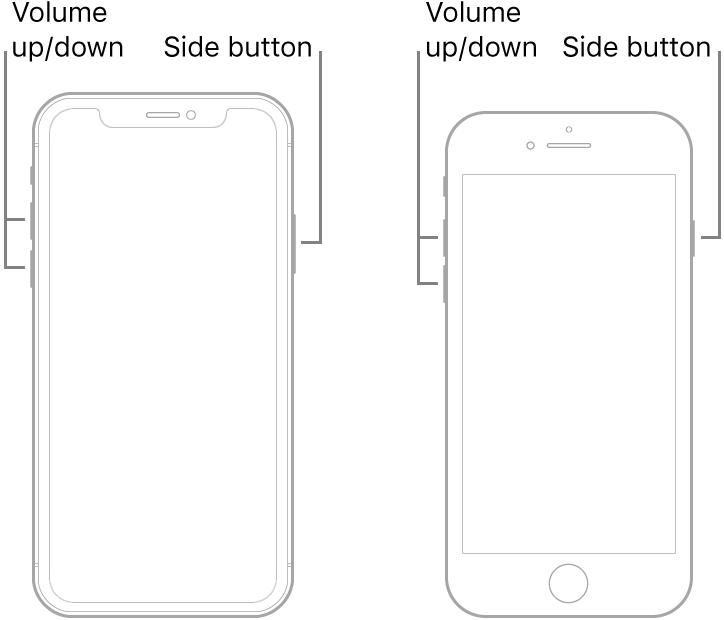
Note: If iPhone still doesn’t turn on, or if it gets stuck during start up, see the Apple Support article If your iPhone, iPad, or iPod touch won’t turn on or is frozen.
...
copied from: Force restart iPhone - Apple Support
...
Neustart mit einem iPhone mit Face ID, iPhone SE (2. Generation), iPhone 8 oder iPhone 8 Plus erzwingen
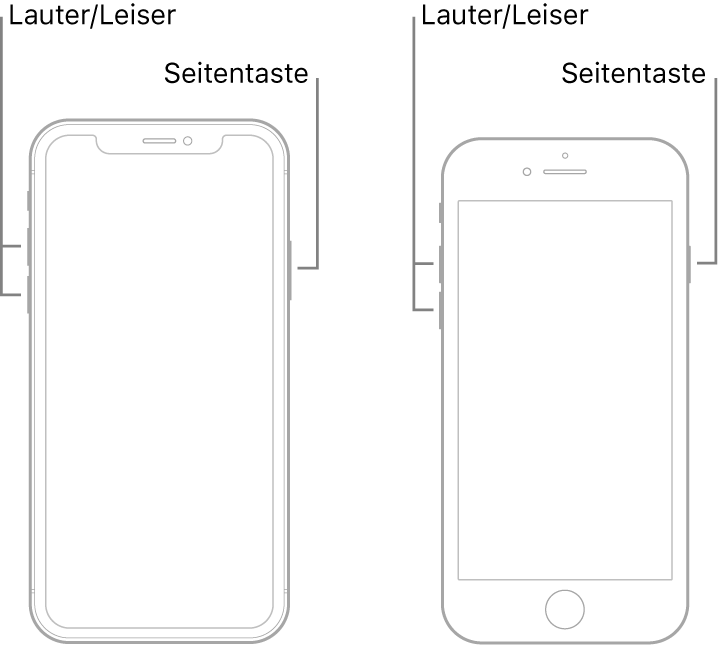
...
aus:Neustart des iPhone erzwingen - Apple Support
Check this:
...
Force restart iPhone
If iPhone isn’t responding, and you can’t turn it off and on, try forcing it to restart.
Force restart an iPhone with Face ID, iPhone SE (2nd generation), iPhone 8, or iPhone 8 Plus
Note: If iPhone still doesn’t turn on, or if it gets stuck during start up, see the Apple Support article If your iPhone, iPad, or iPod touch won’t turn on or is frozen.
...
copied from: Force restart iPhone - Apple Support
...
Neustart mit einem iPhone mit Face ID, iPhone SE (2. Generation), iPhone 8 oder iPhone 8 Plus erzwingen
...
aus:Neustart des iPhone erzwingen - Apple Support
Super.
What I learned: you have to press really very very quickly the volume buttons.
Thank you.
You're welcome 🙂
Soft restart new iPhone SE20
