Nachtrag: Wenn du für irgendein Programm, das du aus dem AppStore gekauft hast, auf das Hauptmenü gehst und auf den Namen des Programm gehst, kannst du die Lizenz öffnen. Beispielsweise sehe ich in Logic Pro X unter "Logic Pro X > Über Logic Pro X" diesen Dialog:
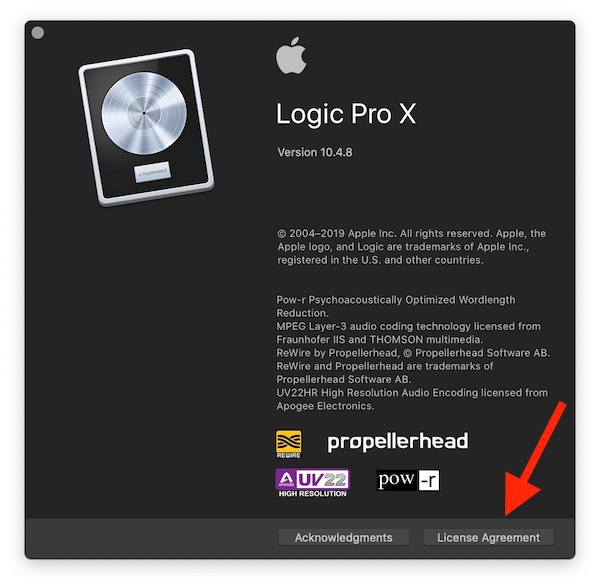
Wenn du auf Licence Agreement klickst, siehst du die AppStore Lizenz. Die ist für alle vom AppStore gekauften Programme sehr ähnlich.
Bei Logic Pro X sehe ich:
A. Mac App Store License. Subject to the terms and conditions of this License and as permitted by the Mac App Store Product Usage Rules set forth in the Mac App Store Terms and Conditions (http:// www.apple.com/legal/itunes/ww/) (“Usage Rules”), you are granted a limited, non-transferable, non- exclusive license:
(i) to download, install, use and run for personal, non-commercial use, one (1) copy of the Apple Software directly on each Apple-branded computer running OS X (“Mac Computer”) that you own or control; and
(ii) if you are a commercial enterprise or educational institution, to download, install, use and run

one (1) copy of the Apple Software for use either: (a) by a single individual on each of the Mac Computer(s) that you own or control, or (b) by multiple individuals on a single shared Mac Computer that you own or control. For example, a single employee may use the Apple Software on both the employee’s desktop Mac Computer and laptop Mac Computer, or multiple students may serially use the Apple Software on a single Mac Computer located at a resource center or library.
Es hängt davon ab, ob du die gekaufte Software privat oder kommerziell nutzt. Für private Nutzung kannst du eine Kopie des Programms auf jedem Computer installieren, den du besitzt oder kontrollierst, beispielsweise also auch auf dem Computer eines Kindes , den du verwaltest.