
transfer photos from I phone to desk top, how?
The easiest method to transfer photos from I phone to Desktop
Windows, Windows 6
The easiest method to transfer photos from I phone to Desktop
Windows, Windows 6
You'll have to use the Windows Photo App, check this:
...
Import to your Windows PC
You can import photos to your PC by connecting your device to your computer and using the Windows Photos app:
Then, visit Microsoft's website to learn how to import photos to the Windows Photos app in Windows 10.
If you have iCloud Photos turned on, you need to download the original, full resolution versions of your photos to your iPhone before you import to your PC. Find out how.
When you import videos from your iOS or iPadOS device to your PC, some might be rotated incorrectly in the Windows Photos app. You can add these videos to iTunes to play them in the correct orientation.
If you're having trouble importing photos from your iOS or iPadOS device to Windows 10, try these steps:
Learn what to do if you can't import photos from your iPhone, iPad, or iPod touch to your computer.
...
copied from: Transfer photos and videos from your iPhone, iPad, or iPod touch - Apple Support
Fotos und Videos von deinem iPhone, iPad oder iPod touch übertragen - Apple Support (DE)
You'll have to use the Windows Photo App, check this:
...
Import to your Windows PC
You can import photos to your PC by connecting your device to your computer and using the Windows Photos app:
Then, visit Microsoft's website to learn how to import photos to the Windows Photos app in Windows 10.
If you have iCloud Photos turned on, you need to download the original, full resolution versions of your photos to your iPhone before you import to your PC. Find out how.
When you import videos from your iOS or iPadOS device to your PC, some might be rotated incorrectly in the Windows Photos app. You can add these videos to iTunes to play them in the correct orientation.
If you're having trouble importing photos from your iOS or iPadOS device to Windows 10, try these steps:
Learn what to do if you can't import photos from your iPhone, iPad, or iPod touch to your computer.
...
copied from: Transfer photos and videos from your iPhone, iPad, or iPod touch - Apple Support
Fotos und Videos von deinem iPhone, iPad oder iPod touch übertragen - Apple Support (DE)
If you want to transfer the photos to your PC, follow the steps mentioned above, using the Windows Photo App.
On a Mac, follow these steps:
...
Import to your Mac
You can use the Photos app to import photos from your iPhone, iPad, or iPod touch to your Mac.
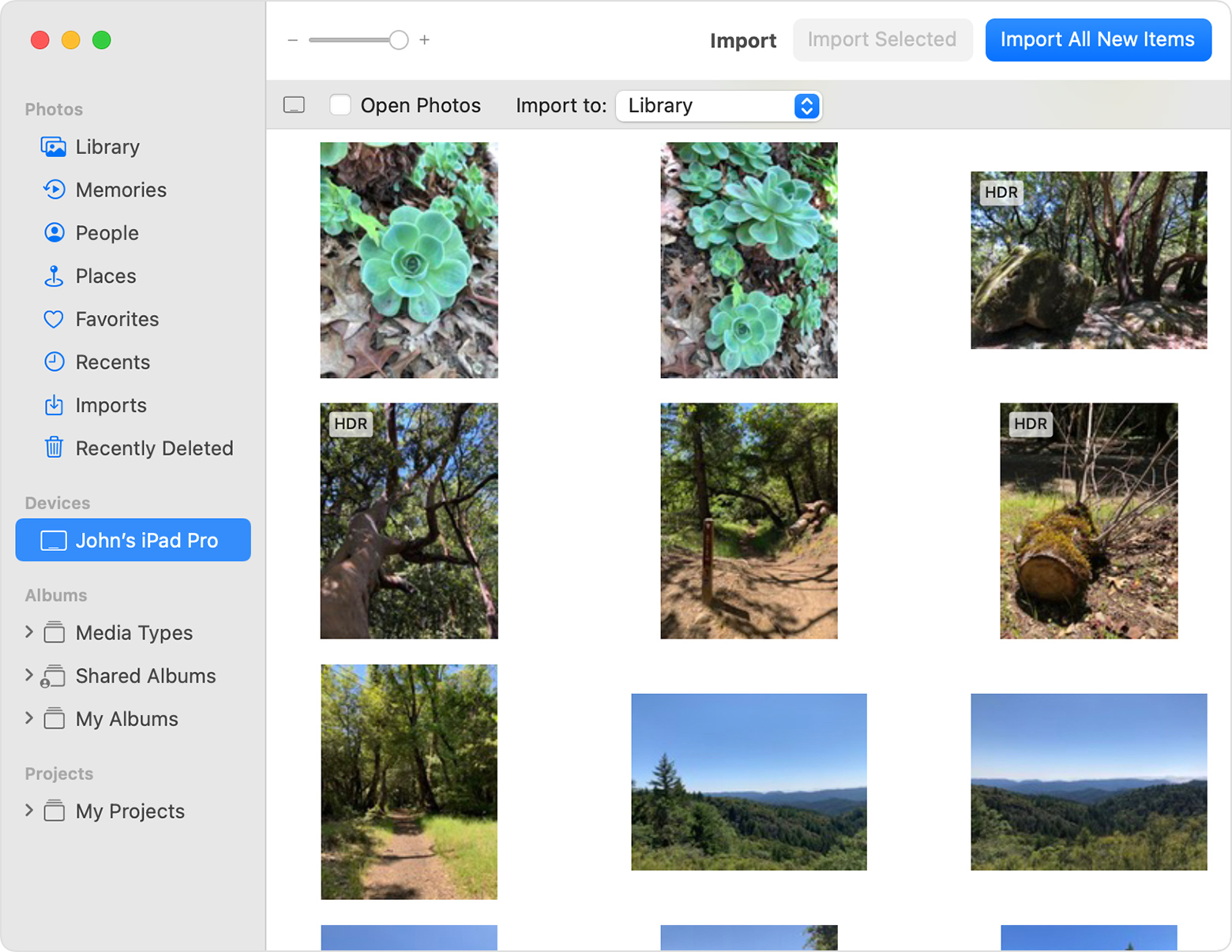
Learn what to do if you can't import photos from your iPhone, iPad, or iPod touch to your computer.
...
copied from: Transfer photos and videos from your iPhone, iPad, or iPod touch - Apple Support
Thanks for posting your question in the Apple Support Communities.
We have a Community for English speakers here: Official Apple Support Community
Please feel free to join and post your question there, or repost your question in German here: Offizielle Apple Support-Community
How to transfer photos from iPhone to desktop?
transfer photos from I phone to desk top, how?

